
getimg.ai
One fast workspace for AI image generation, editing, and video — FLUX, GPT Image, Seedream, and more, no free plan.
Description
getimg.ai is a browser-based AI creative platform that gives you one subscription and one interface for image generation, image editing, and video generation across more than a dozen underlying models — including FLUX, GPT Image, Seedream, Grok Imagine, and Google Veo — instead of juggling separate accounts for each. There's no free plan; pricing starts at $10/month (Entry tier), and the platform is noticeably faster at generating images than Midjourney, though its video output still trails dedicated video-first tools.
Pros
- Genuinely faster than Midjourney — roughly 2-3x quicker generation for comparable requests
- One workspace, multiple frontier models (FLUX, GPT Image, Seedream, Grok Imagine) without separate subscriptions
- Real end-to-end workflow — generate, edit, upscale, and animate without leaving the platform
- Commercial usage rights included from the cheapest tier, unlike some competitors that gate full ownership
- Image-to-Prompt is a genuinely uncommon, free feature most competitors don't offer
Cons
- No free plan — you can't test real output quality before paying
- Video generation lags dedicated video-first platforms on consistency and quality
- Credit consumption is unpredictable since cost varies by model, resolution, and feature used
What it does & solves
getimg.ai isn't a single AI model — it's a front end that gives you access to more than a dozen third-party and proprietary models (FLUX 1, GPT Image, Seedream 5.0, Grok Imagine, Google Veo 3.1, Kling, MiniMax Hailuo, and others) inside one credit-based workspace, plus its own editing tools layered on top: upscaling up to 16K, background removal, inpainting/outpainting, an AI Canvas for compositing, and a hairstyle-swap tool. An 'Auto Mode' picks an appropriate model for your prompt automatically if you don't want to choose manually. The pitch is workflow speed: generate, edit, and upscale in the same tab without exporting to a different tool for each step.
Use cases
- Generating marketing or product images across several frontier models without separate subscriptions
- Editing an existing image — inpainting, outpainting, background removal, upscaling to 16K
- Turning a still image into a short video clip without leaving the workspace
- Reverse-engineering a usable text prompt from a reference image with the Image-to-Prompt tool
- Iterating quickly through many prompt variations, thanks to roughly 2-3x faster generation than Midjourney
Key features
Fast, multi-model image generation
getimg.ai generates roughly 2-3x faster than Midjourney for comparable requests, and gives you a menu of underlying models — FLUX 1, GPT Image, Seedream, Grok Imagine — rather than one house style, so your results depend on which model you pick for a given job. An Auto Mode picks one for you if you'd rather not choose manually.
Built-in video generation
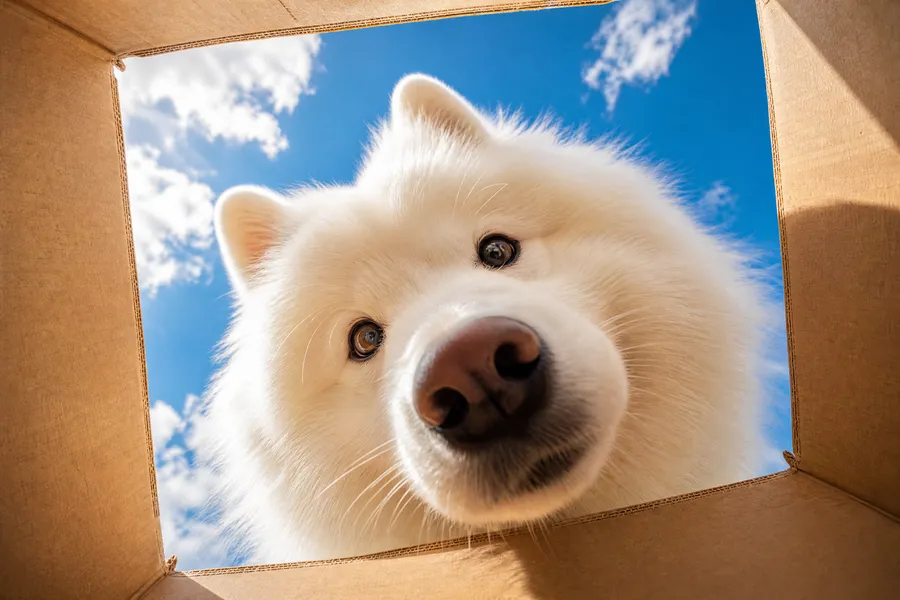
getimg.ai integrates several third-party video models — Google Veo 3.1, ByteDance Seedance, Kling, MiniMax Hailuo, Grok Imagine — for text-to-video, image-to-video, and start/end-frame control, typically finishing a clip in 3-7 minutes. Veo 3.1 specifically generates synced audio alongside the video. Treat it as a convenient bonus on top of image generation rather than a reason to subscribe on its own — consistency across longer clips still trails dedicated video-first platforms.
Who it's for
Fits creators, marketers, and small teams who want image generation, editing, and light video work in one subscription without managing several tool accounts, and who prioritize generation speed and workflow continuity over chasing the single best video model on the market. Poor fit for anyone who wants a no-cost way to test AI image generation before committing (Leonardo AI's free tier is the better starting point), or anyone whose core need is high-end, consistency-critical AI video, where a dedicated video platform will outperform getimg.ai's integration.
Getting started
- 1Sign up — there's no free plan, so pick a tier (Entry at $10/month is the lowest-risk way to start).
- 2Choose a model manually (FLUX, GPT Image, Seedream, etc.) or let Auto Mode pick one based on your prompt.
- 3Generate, then edit in the same workspace — inpaint, outpaint, remove the background, or upscale up to 16K.
- 4Switch to the video tab for text-to-video or image-to-video if you want to animate a result.
- 5Use Image-to-Prompt separately (free daily allowance) whenever you want to reverse-engineer a prompt from a reference image.
Tips for using it well
- Credit cost varies by model, resolution, and feature (a 4K upscale costs more than a quick draft) — budget by testing a few generation types before assuming a flat per-image cost.
- Start on the Entry tier ($10/month) to confirm your actual usage pattern before committing to annual billing on a higher tier.
- Use Image-to-Prompt (free, 40 images/day, separate from paid credits) to reverse-engineer a starting prompt from any reference image you like the look of.
- If video is more than an occasional bonus for you, budget for higher credit consumption — video generation drains credits faster than still images.
Plans & pricing
Free plan: No free plan for image or video generation. The separate Image-to-Prompt tool has its own free allowance (40 images/day, no credit card), but it doesn't generate images — only prompts.
Entry
$10/month ($8/month annual)
3,000 credits/month, 11 image + 9 video models (not the full library), 4K upscaling, 2 concurrent generations.
Core
$30/month ($25/month annual)
15,000 credits/month, full model library, 8K upscaling, 4 concurrent generations, 2 team seats.
Plus
$65/month ($55/month annual)
getimg.ai's most popular tier — 35,000 credits/month, full model library, 16K upscaling, 8 concurrent generations, 5 team seats.
Ultra
$175/month ($150/month annual)
100,000 credits/month, full model library, 16K upscaling, 10 concurrent generations with priority processing, 10 team seats.
Frequently asked questions
Does getimg.ai have a free plan?
No. The cheapest tier is Entry at $10/month ($8/month billed annually, 3,000 credits/month). There's no free trial, though the low entry price limits how much you risk testing it.
What models does getimg.ai support?
Over a dozen, including FLUX 1, GPT Image, Seedream 5.0, Grok Imagine, Google Veo 3.1 (video), Kling, and MiniMax Hailuo — plus an Auto Mode that selects a model for you based on your prompt.
Is getimg.ai faster than Midjourney?
Yes — independent comparisons and getimg.ai's own positioning put it at roughly 2-3x faster generation speed for comparable image requests, though speed and output style/quality are separate questions worth weighing together.
Can I use getimg.ai images commercially?
Yes, on every paid tier including the cheapest (Entry) — full commercial usage rights are included from $10/month, without needing to upgrade to a higher tier first.
Is getimg.ai good for AI video generation?
It's usable and convenient if you're already there for images, since it integrates several capable video models (Veo, Kling, Hailuo) in the same workspace. But if video is your primary need, a dedicated video-first platform will generally outperform getimg.ai's video integration on quality and consistency.
What is the Image-to-Prompt tool?
A getimg.ai-specific feature that lets you upload a reference image and get back a detailed text prompt describing it — useful for reverse-engineering a style or composition you want to recreate or adapt, rather than starting from a blank prompt.
How do credits work?
Each generation consumes credits, but the exact amount varies by model, resolution, and feature used (a 4K upscale costs more than a quick draft generation, for example) — so the same monthly credit allowance produces a different number of outputs depending on how you use it.