
Nano Banana Pro
Google's most instruction-accurate image model — correct in-image text, consistent edits, built on Gemini 3 Pro.
Description
Nano Banana Pro is Google's latest image generation and editing model, built on Gemini 3 Pro. It runs inside the Gemini app and API rather than as a standalone product — there's no separate dashboard to learn, but you're also inside Gemini's broader interface rather than a purpose-built image studio.
Pros
- Renders legible, correctly spelled text inside generated images — a common failure point for older models
- Preserves faces, poses, and background details on iterative photo edits
- Follows multi-part compound instructions in a single prompt reliably
Cons
- Outputs lean photorealistic/generic rather than a distinctive artistic style
- Noticeably slower per generation than Midjourney or Ideogram
- Free tier adds a visible watermark and caps daily generations
What it does & solves
Nano Banana Pro solves the two failure points that make most AI image tools unreliable for real work: text rendered inside an image coming out garbled, and edits to an existing photo changing things you wanted left alone (the subject's face, pose, or background details). If you need an AI tool that follows detailed instructions precisely, it's currently one of the most accurate options available — though it's stricter and slower than pure speed-focused generators like Midjourney.
Use cases
- Generating marketing assets with correctly spelled text baked into the image — menus, posters, UI mockups
- Editing an existing photo while keeping the subject's face and pose consistent
- Following multi-part instructions in a single prompt (e.g., change the background, keep the shirt color, add morning light)
- Producing quick product mockups with pricing or label text for small businesses without a designer
- Iterating on a single image across several edits without it drifting from the original
Key features
Text-in-image accuracy
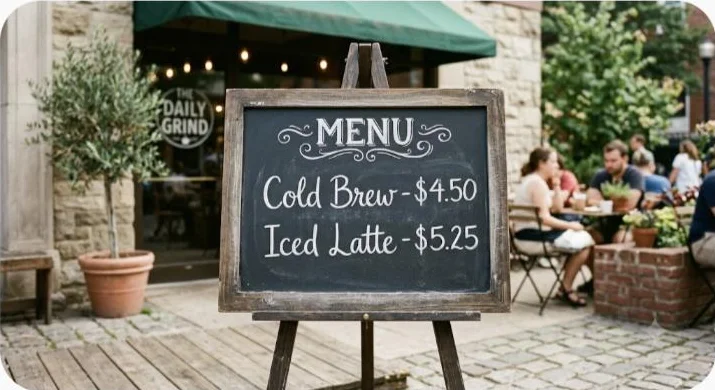
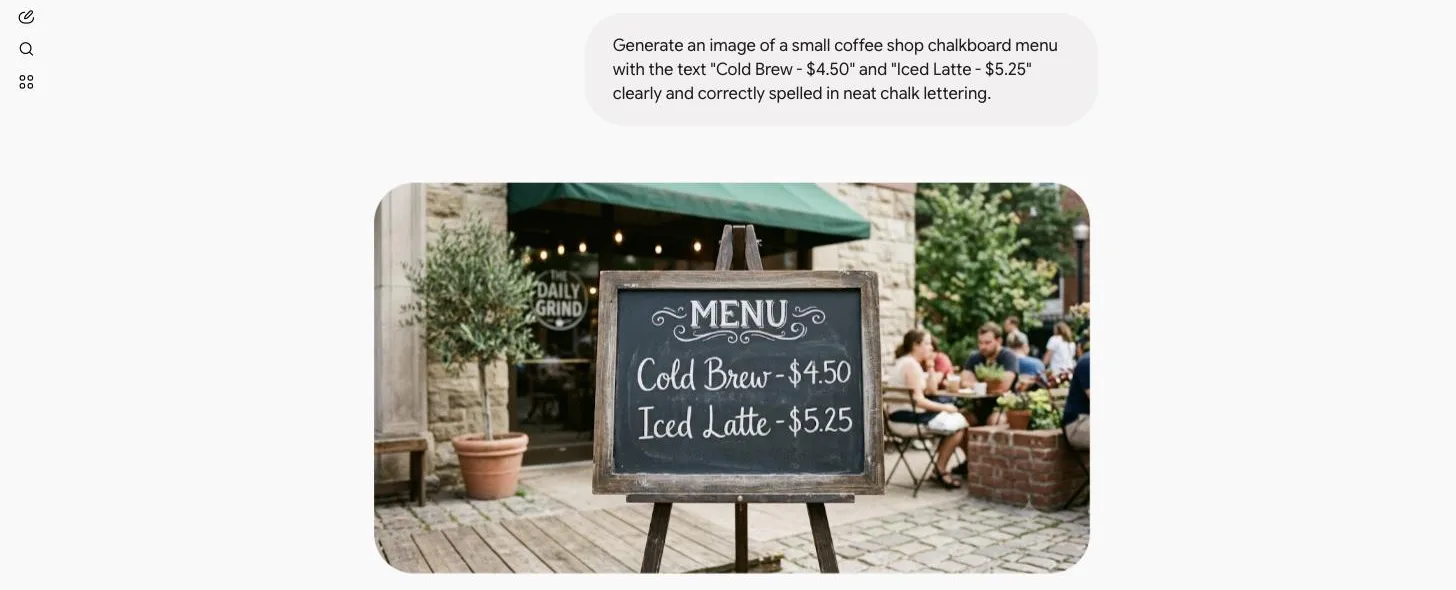
This is Nano Banana Pro's headline strength. Our own test prompt — "generate a small coffee shop chalkboard menu with the text 'Cold Brew - $4.50' and 'Iced Latte - $5.25' clearly and correctly spelled in neat chalk lettering" — came out correct on the first try, zero retries needed. Ask it for a birthday card with a specific name and message, or a product mockup with pricing text, and it renders the words correctly far more often than most competing models.
Consistent photo editing and multi-step instructions
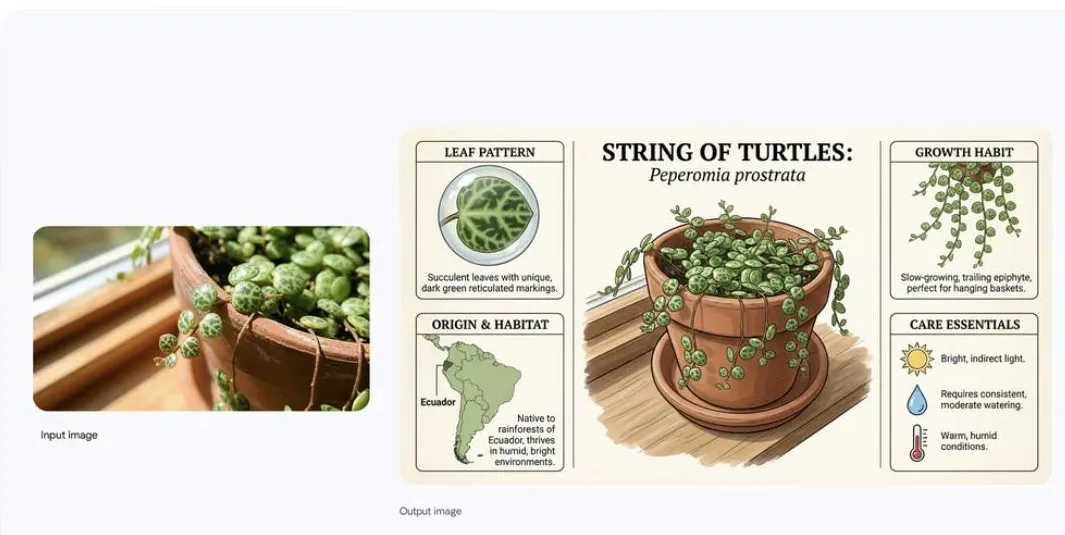
Upload a photo and ask for a targeted change — remove an object, swap the outfit, relight the scene — and Nano Banana Pro tends to preserve the rest of the image rather than regenerating it from scratch. Because it's built on Gemini 3 Pro, it can also parse compound prompts with several conditions at once instead of only capturing the last instruction, which cuts down on regeneration attempts needed to get a usable result.
Who it's for
Fits marketers, small business owners, and content creators who need quick, accurate visual assets (social posts, product mockups, presentation graphics) and who already work inside Google's ecosystem. It's a weaker fit for illustrators and designers chasing a specific artistic style, or anyone needing the fastest possible turnaround on bulk image generation — Midjourney and Ideogram are both faster per image.
Getting started
- 1Open the Gemini app or API — there's no separate Nano Banana Pro dashboard.
- 2Write a detailed prompt, spelling out any text that needs to appear in the image exactly as it should render.
- 3For photo edits, upload the source image and describe the specific change to make.
- 4Review the output; for multi-part prompts, check that every condition was followed before regenerating.
- 5Upgrade to Google AI Pro or Ultra if you need higher daily limits or watermark-free output.
Tips for using it well
- Spell out every word you want rendered exactly as it should appear in the prompt — it follows literal text instructions more reliably than it infers intent.
- Give compound instructions in one prompt (background, subject, lighting) rather than one change at a time — it handles multi-part conditions well and this saves regeneration attempts.
- For photo edits, describe what should stay the same, not just what should change, if a specific detail (a logo, a expression) matters.
- Expect it to be slower per image than Midjourney or Ideogram — plan for that if you're generating in bulk.
Plans & pricing
Free plan: Limited daily generations with a visible watermark and standard resolution — enough to test accuracy on your own prompts before paying.
Google AI Pro
$19.99/month
Higher daily generation limits, no watermark, priority processing.
Google AI Ultra
$249.99/month
Highest limits, earliest access to new model versions, higher-resolution output.
Frequently asked questions
Is Nano Banana Pro free to use?
Yes, there's a free tier with daily generation limits and a visible watermark. Removing the watermark and raising the limits requires a Google AI Pro or Ultra subscription.
Is Nano Banana Pro the same as Gemini's image generation?
Nano Banana Pro is the name of the image generation/editing model that powers image features inside the Gemini app and API — it's Google's current top-tier image model, distinct from earlier, lower-tier versions.
Can Nano Banana Pro edit photos of real people?
Yes, it supports photo editing while preserving facial identity and pose better than most competing models, though Google applies content policy restrictions on certain edits.
Does Nano Banana Pro add a watermark?
Free-tier generations include a visible watermark; paid Google AI plans remove it.
How does Nano Banana Pro compare to Midjourney for beginners?
Midjourney has a steeper prompt-learning curve but more stylistic range; Nano Banana Pro is more forgiving for literal, instruction-based prompts, which makes it easier for first-time users to get a usable result quickly.