
PopAI
An AI workspace that turns documents, PDFs, or a prompt into editable presentations, chat, and images.

Description
PopAI is an all-in-one AI workspace where making a slide deck sits next to document chat, image generation, and writing. It can build an editable presentation from a prompt, a PDF, a Word file, an existing PPTX, or even a webpage, then export to PPTX or PDF.
Pros
- Genuinely useful document-to-deck workflow, not just a blank-prompt generator
- Real-time collaboration built in for team decks
- Paid upgrade is inexpensive relative to dedicated presentation-AI tools
Cons
- Free daily credit limits are tight if you use slides, chat, and images on the same day
- Design output still benefits from manual polish for anything client-facing
What it does & solves
PopAI solves the 'blank slide' problem and the 'I have a document, I need a deck' problem in one tool — instead of manually restructuring a report or PDF into slides, you upload it and PopAI drafts a structured, editable presentation from it, including turning raw data into charts automatically. It bundles that with document Q&A chat and image generation so the same workspace covers most of a typical presentation-prep workflow.
Use cases
- Turning an existing PDF, Word doc, or report into a first-draft slide deck
- Generating a presentation from a short prompt or outline with no source document
- Chatting with an uploaded PDF to pull out key points before building slides
- Auto-converting raw data or numbers into charts and visualizations for a deck
- Real-time collaborative editing of a deck with a team
- Quickly localizing a presentation's content into another language
Key features
Prompt-to-deck editor with a real template gallery
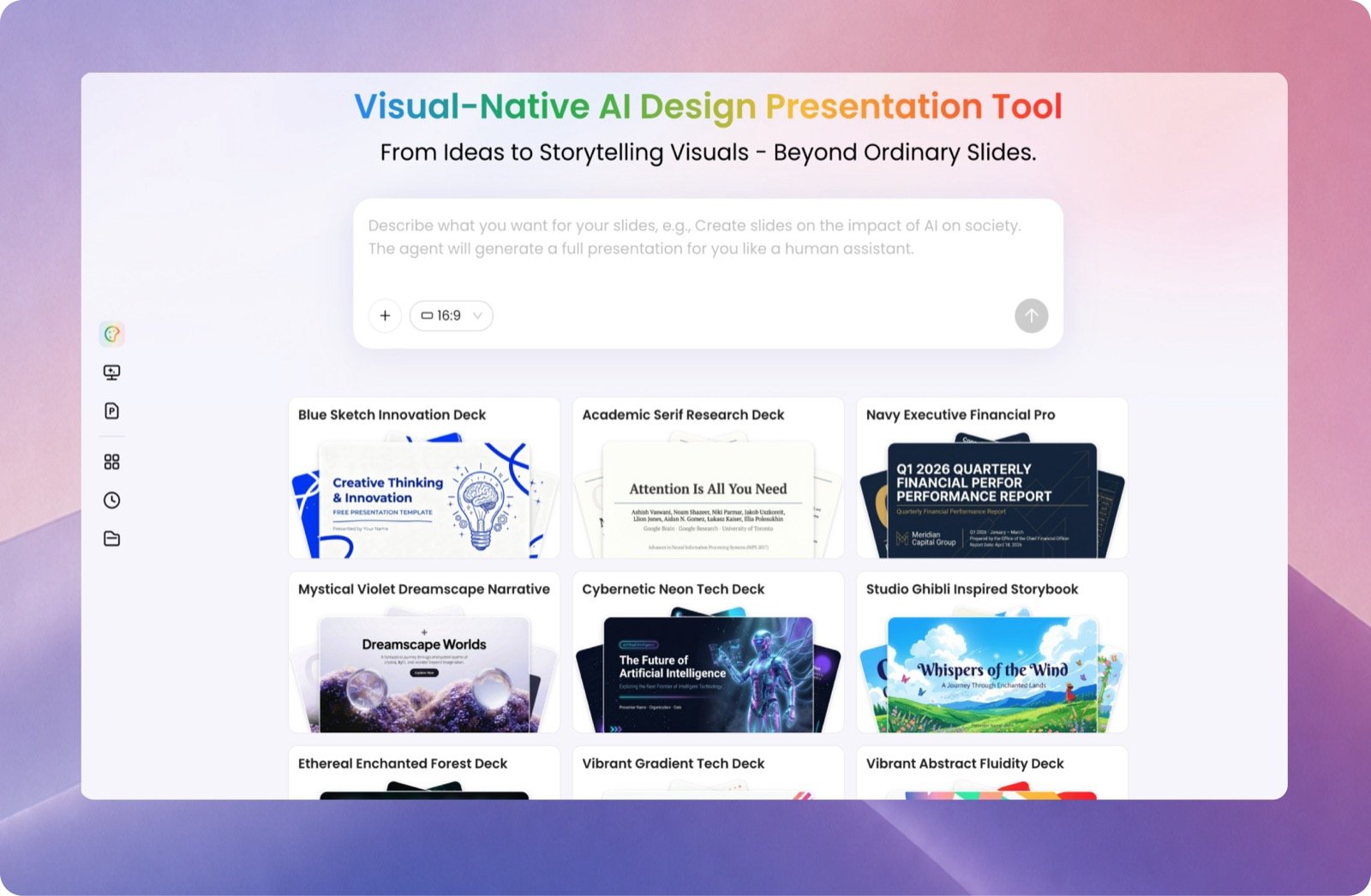
Describe what you want in plain language and PopAI generates a full deck, styled from a gallery of ready-made themes — the screenshot below is the actual editor, not a mockup, showing the prompt box and template picker side by side.
Upload a document instead of starting from a prompt
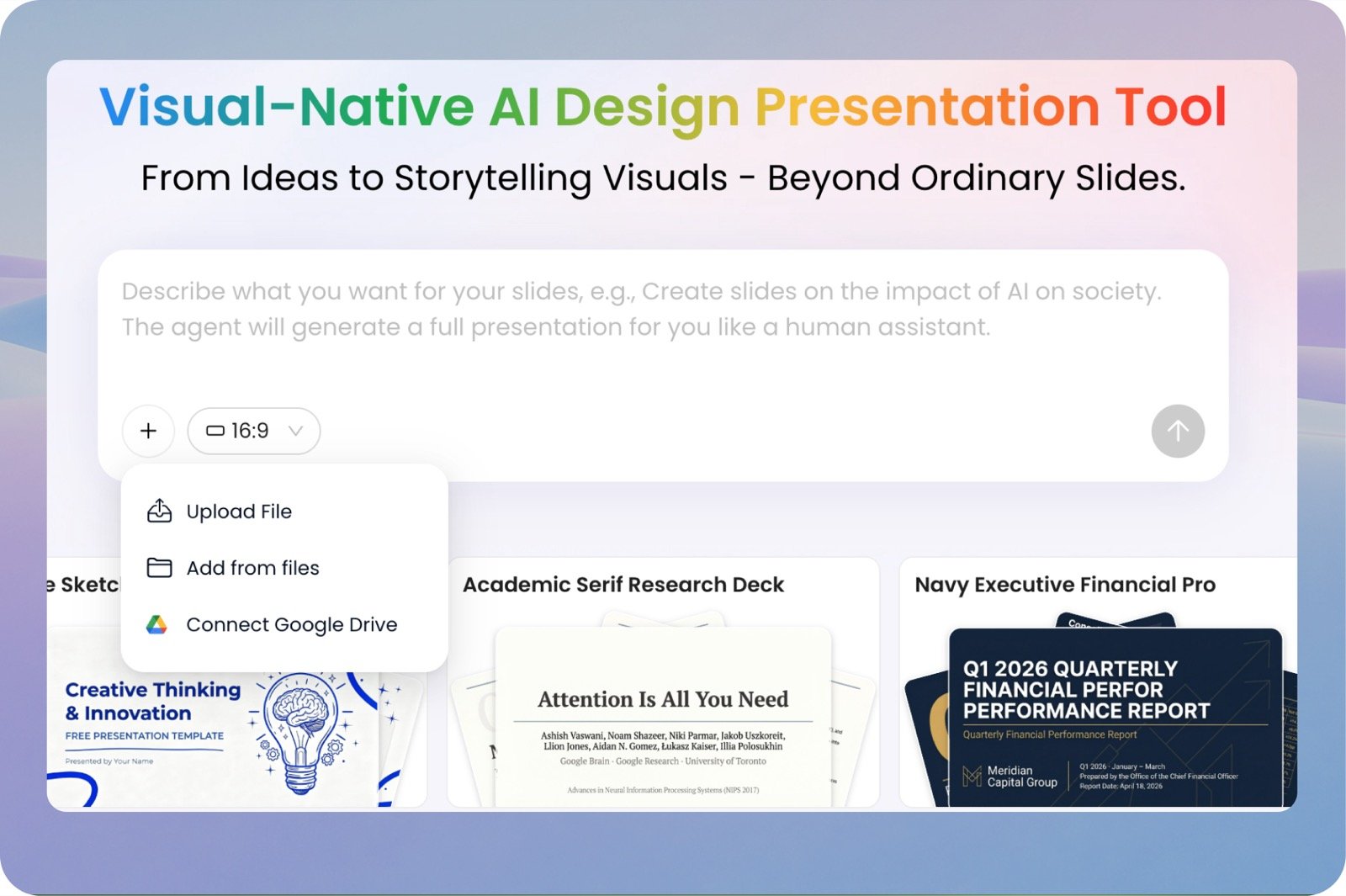
The same input box lets you upload a file, pull one from your existing files, or connect Google Drive directly — this is the document-to-deck workflow that's PopAI's real differentiator over prompt-only tools.
Who it's for
Best for students, marketers, consultants, and small teams who regularly need to turn source material into a presentation fast, and who don't need pixel-perfect custom design. It's approachable for non-designers since the AI handles layout, but the free daily credit allowance is tight enough that regular use pushes most people toward a paid plan quickly.
Getting started
- 1Start a new presentation from a prompt, an uploaded PDF/Word file, an existing PPTX, or a webpage link.
- 2Let PopAI generate a structured first-draft deck, including auto-charts from any data.
- 3Pick a template and refine slide content, layout, or wording section by section.
- 4Invite teammates for real-time collaborative editing if needed.
- 5Export the finished deck to PPTX or PDF.
Tips for using it well
- Upload the source PDF or doc directly rather than retyping an outline — PopAI's document parsing is the main time-saver, not the blank-prompt generator.
- Use the chat-with-document feature first to sanity-check key points before generating slides, especially for longer reports.
- Budget your daily free credits across tools — slide generation, chat, and image generation all draw from the same allowance.
- Refine one section at a time after the first draft rather than regenerating the whole deck, to avoid losing edits you liked.
Plans & pricing
Free plan: A daily allowance of AI credits (400 to start) shared across slide generation, document chat, and image generation — workable for occasional use, tight for daily work.
Pro
$5.99–9.99/month
Higher daily credit allowance across all tools; inexpensive step up from Free.
Unlimited
~$40/month
Removes daily credit limits for heavy, regular presentation work.
Frequently asked questions
Is PopAI free to use?
Yes, PopAI gives a daily allowance of AI credits (400 to start) shared across slide generation, document chat, and image generation — enough for occasional use, tight for daily work.
Can PopAI turn a PDF into a presentation?
Yes — uploading a PDF, Word file, or connecting Google Drive is PopAI's core differentiator, turning an existing document into a structured, editable deck rather than starting from a blank prompt.
How much does PopAI cost?
Pro starts at $5.99–9.99/month for a higher daily credit allowance; Unlimited is around $40/month and removes the daily credit limits entirely.
Is PopAI better than Gamma?
PopAI is stronger when you're starting from an existing document (PDF, Word, PPTX); Gamma's default designs are more polished when starting from a blank prompt with no source material.