
Revid AI
Turns prompts, blogs, PDFs, and product pages into auto-published social video — but the credit system draws real complaints.
Description
Revid AI is a browser-based AI video platform that turns prompts, scripts, blog URLs, product pages, audio files, and even PDFs into editable, captioned videos, then auto-publishes them to TikTok, YouTube, and Instagram. It's aimed squarely at short-form content creators and marketers who want to produce and distribute video at volume, with pricing starting at $39/month and no genuine free plan.
Pros
- Broadest input support among competing AI video tools — prompts, scripts, blog URLs, product pages, audio, and PDFs all work as source material
- Full pipeline, not just generation — built-in auto-publishing to TikTok, YouTube, and Instagram plus trend/competitor monitoring
- Output quality is well regarded — real user reviews (4.0/5 on Trustpilot) consistently describe output as crisp and professional
- Auto-Mode workers let you batch-generate several videos in the background at once rather than one at a time
Cons
- No free plan, and the entry price ($39/month) is notably higher than close competitors like Fliki ($21-28/month)
- Credit consumption is a recurring complaint — multiple reviewers describe credits as consumed rapidly, with failed generations adding up
- Customer support draws real criticism — slow or unhelpful support and a rigid no-refund policy are commonly cited in negative reviews
What it does & solves
Revid AI's core pitch is input flexibility: instead of only supporting one content type, it accepts prompts, full scripts, blog/article URLs, product pages, audio files, and PDFs, and turns any of them into a captioned, voiced video with AI-generated or stock visuals. Beyond generation, it includes 'Viral Search' and 'Channel Watcher' tools that surface trending formats and monitor competitor channels for content ideas, plus avatar creation, face swap, voice cloning (Ultra tier), and direct auto-publishing to TikTok, YouTube, and Instagram — positioning it as a full pipeline from idea to published post, not just a generator.
Use cases
- Converting a blog post, product page, or PDF into a captioned short-form video without writing a script from scratch
- Auto-publishing finished videos directly to TikTok, YouTube, and Instagram without a separate export/upload step
- Discovering trending formats and monitoring competitor channels for content ideas (Viral Search, Channel Watcher)
- Batch-producing videos with Auto-Mode workers for a faceless channel at volume
- Creating avatar or face-swap video, or cloning a voice (Ultra tier)
Key features
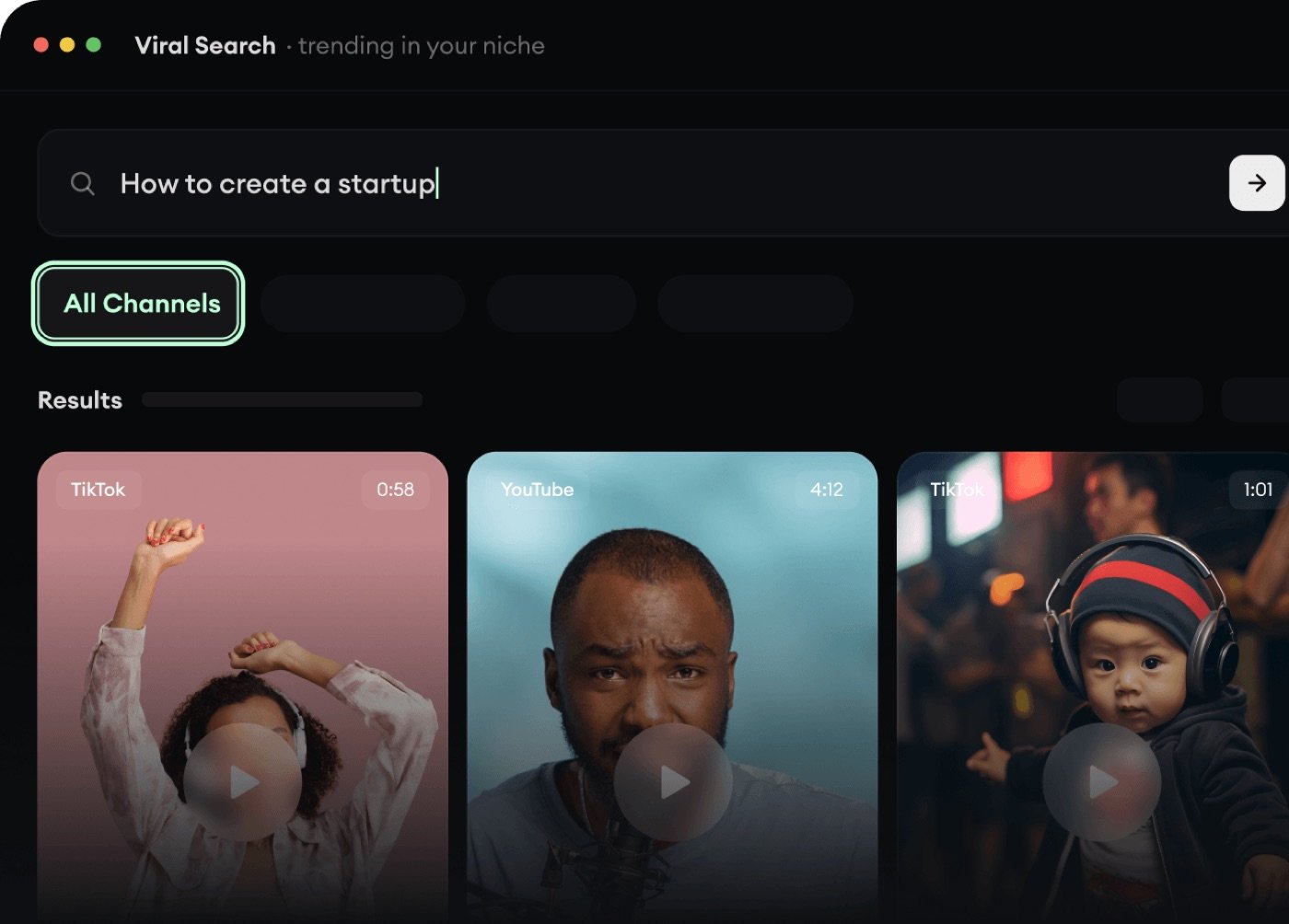
Viral Search — trend discovery built in
Viral Search surfaces trending videos by niche and channel, giving you a running feed of currently-performing formats instead of manually scrolling competitor feeds yourself. It's the idea-generation half of Revid AI's automation pitch — Channel Watcher extends the same idea to monitoring specific competitor or inspiration channels.
Script editor with scene-by-scene timing
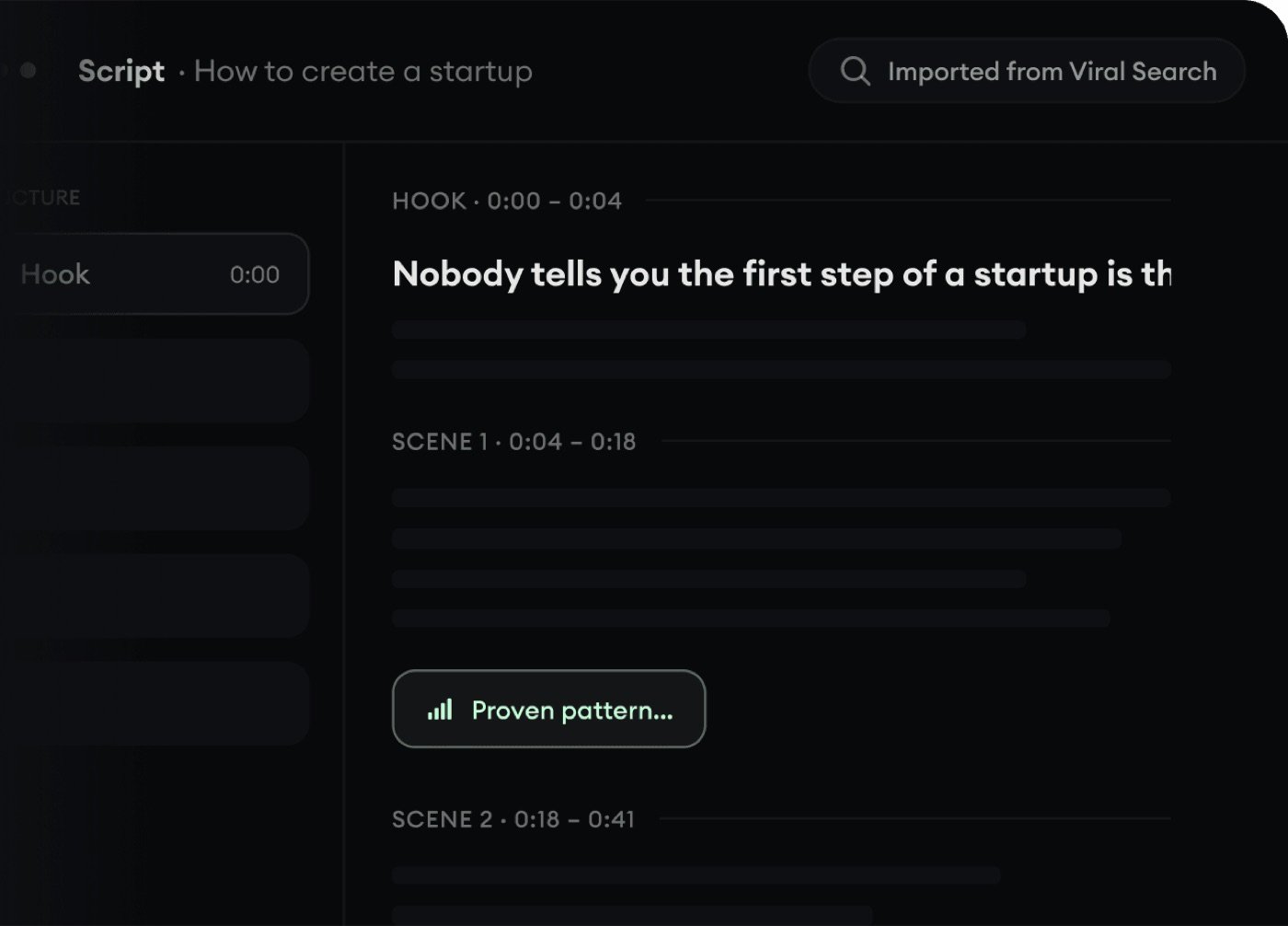
Once a source (a URL, a Viral Search result, a prompt) is turned into a script, Revid AI breaks it into a hook and timed scenes you can review and adjust before generating — useful for catching an inaccurate summary or an awkward cut before it becomes a finished video, not just after.
Who it's for
Good fit for creators and marketers who want to convert a lot of source material (blogs, product pages, scripts) into published social video without manually re-editing and re-uploading to each platform, and who are comfortable paying a premium for that convenience and the built-in trend-monitoring tools. Poor fit for anyone highly price-sensitive or wanting to test real output before paying (Fliki's lower entry price and clearer plan structure may suit better), or anyone who's had frustrating experiences with SaaS support/refund policies before and wants to minimize that risk.
Getting started
- 1Sign up — there's a one-time demo video without a credit card, but ongoing use needs a paid tier starting at $39/month.
- 2Provide a source: a prompt, script, blog/article URL, product page, audio file, or PDF.
- 3Customize the visual style, voice, and aspect ratio for your target platform.
- 4Generate, then review the script and visuals against your source material before publishing.
- 5Export manually, or auto-publish directly to TikTok, YouTube, or Instagram (Growth tier and above).
Tips for using it well
- Budget credits conservatively — per real Trustpilot reviews, credits are commonly described as 'consumed rapidly,' with failed generations or re-dos adding up faster than the sticker credit count suggests.
- Review Auto-Mode output before it auto-publishes — given real reports of inconsistent output quality, a quick check protects your channel's quality bar at any real publishing volume.
- Use well-structured source material (clear headings, a logical flow) for cleaner script extraction from blogs and PDFs.
- Confirm current pricing before signing up — Hobby and Growth have listed at the same promotional price, which is unlikely to be permanent.
Plans & pricing
Free plan: No genuine free plan — you can generate one demo video without a credit card, but ongoing use requires a paid tier starting at $39/month.
Hobby
$39/month
Create from text/links, 3M+ viral videos to remix, editable short-form video. No auto-publishing.
Growth (most popular)
$39/month (discounted from $99)
2,000 credits/month, auto-publish to TikTok/Instagram/YouTube, 100+ AI tools, avatars, face swap, 70+ language voiceovers, 3 Auto-Mode workers, API/MCP/CLI access.
Ultra
$199/month
12,000 credits/month, 10 Auto-Mode workers, custom voice cloning, 50-channel trend monitoring.
Frequently asked questions
Does Revid AI have a free plan?
Not a genuine one — you can generate a first video without a credit card as a demo, but continued use requires a paid tier starting at $39/month (Hobby or Growth).
How much does Revid AI cost?
Hobby and Growth both currently list at $39/month (Growth is discounted from $99), and Ultra is $199/month with 12,000 credits. Verify current pricing before assuming this holds, since Growth's discount is time-limited by nature.
Is Revid AI good quality?
User reviews average 4.0/5 on Trustpilot, with output quality and ease of use frequently praised as professional and intuitive — though reviews are polarized, with a real share of one-star ratings tied mainly to credit consumption and support issues rather than output quality itself.
Does Revid AI publish directly to TikTok, YouTube, and Instagram?
Yes — auto-publishing to all three platforms is included from the Growth tier up, which is one of Revid AI's clearer advantages over generation-only competitors.
What file types can I turn into a video with Revid AI?
Prompts, full scripts, blog/article URLs, product pages, audio files, and PDFs — a broader range of source input than most competing AI video tools support.
Is Revid AI's customer support reliable?
This is a genuine weak point per user reviews — multiple Trustpilot reviewers report slow or unhelpful support and a strict no-refund policy. Factor this into your decision, especially before committing to an annual plan.